
Cursor Made Agentic Coding WYSIWYG

Hi Friends,
Let’s appreciate Cursor for a moment. 🤗
They started out as a VSCode fork, but they didn’t shy away from completely redesigning their experience to fit where programming is going: agentic coding.
With Cursor 3, you no longer need a full IDE to work with AI agents — but you still get the browser and terminal right there. The agentic workflow finally has its own interface, Cursor still removes most of the glue work other AI coding setups require, but now the UX is more geared towards agents writing code.
Why This Matters
I came back to Cursor after six months. A lot changed — Composer 2.5 (their own model, well received by the community), and in April they launched Cursor 3 with the Agents Window: a new interface built from scratch, separate from the VS Code-based editor.
The thing is, when you’re working with agents you’re mostly talking, reviewing, and testing — not manually editing files. Before Cursor 3, you had to run the entire VS Code shell just to have a conversation with your agent. Now the Agents Window strips that away. It’s agent-first, but it still has the browser and terminal integrated.
This integration IMO is something Cursor does better than anyone else and if you are building web apps, you can’t ignore it. Here’s why:
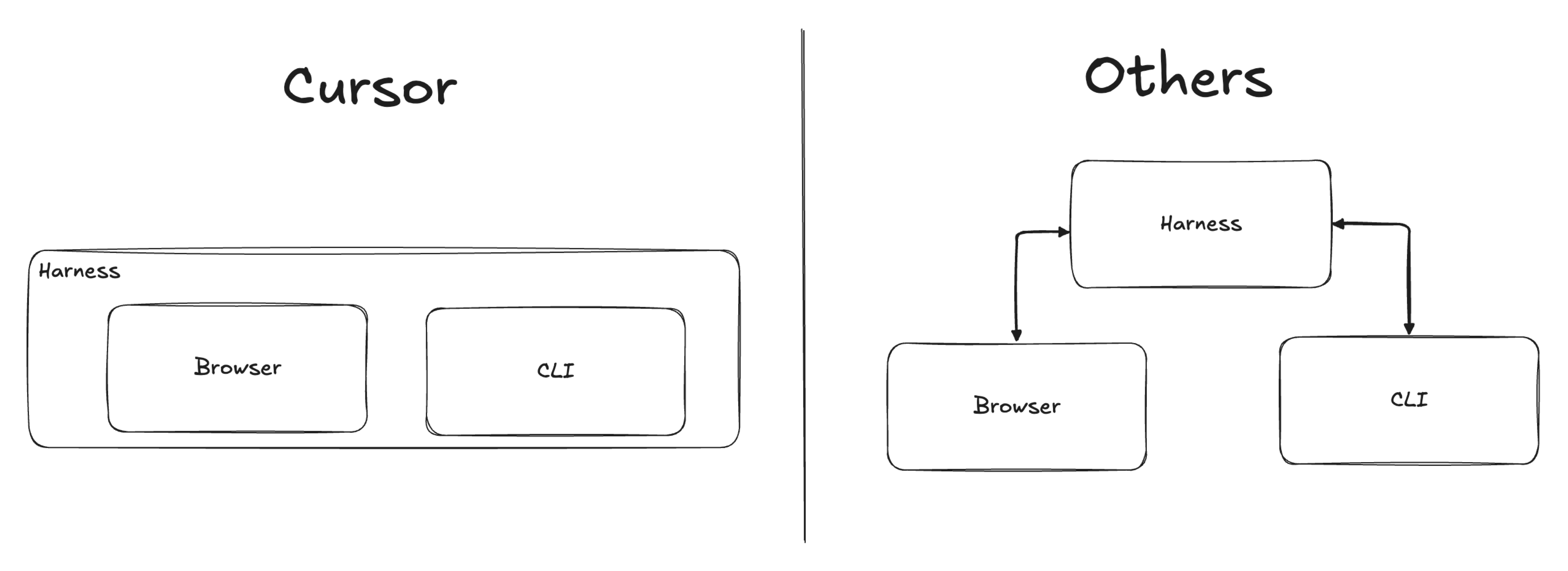
The Three-Panel Problem
When you build a web app with an AI agent, you juggle three things:
Harness — where you talk to the agent and review code
Browser — where you check what the agent built
Terminal — where you read server logs and debug errors
In most setups, these live in separate windows. Your agent can’t see what’s in the other two unless you manually bridge them.
How Cursor Solves It
Cursor runs all three inside one application.
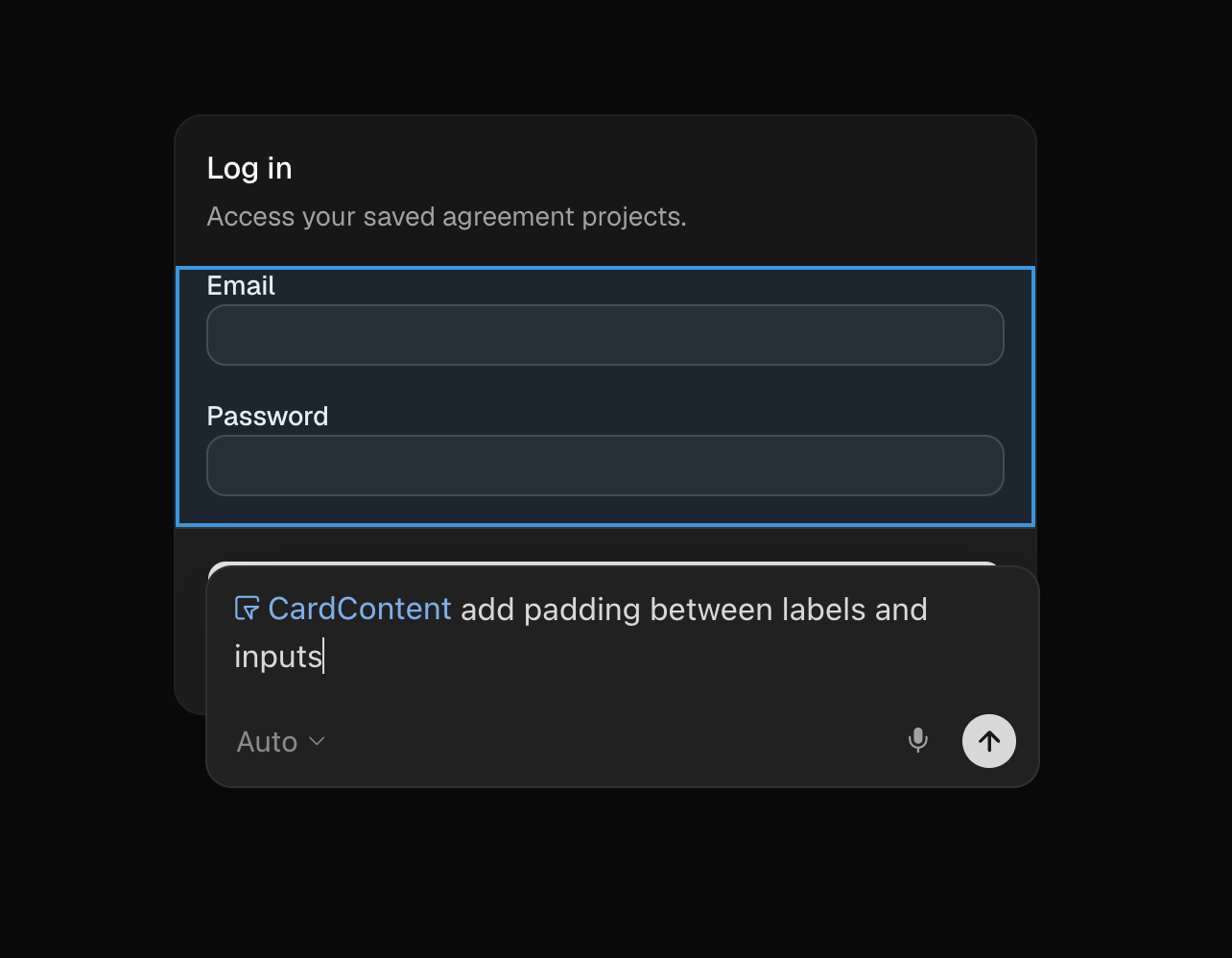
Browser. You can launch a browser tab right inside Cursor. Your agent sees the same page you see. Tell it “the padding is off on the login screen” — it reads the browser, finds the element, fixes it. It’s not full Chrome — no extensions, limited DevTools — but for most localhost development it’s enough. If your workflow depends on browser extensions, real Chrome DevTools, or OAuth redirects through external providers, you’ll still need a full browser alongside it.
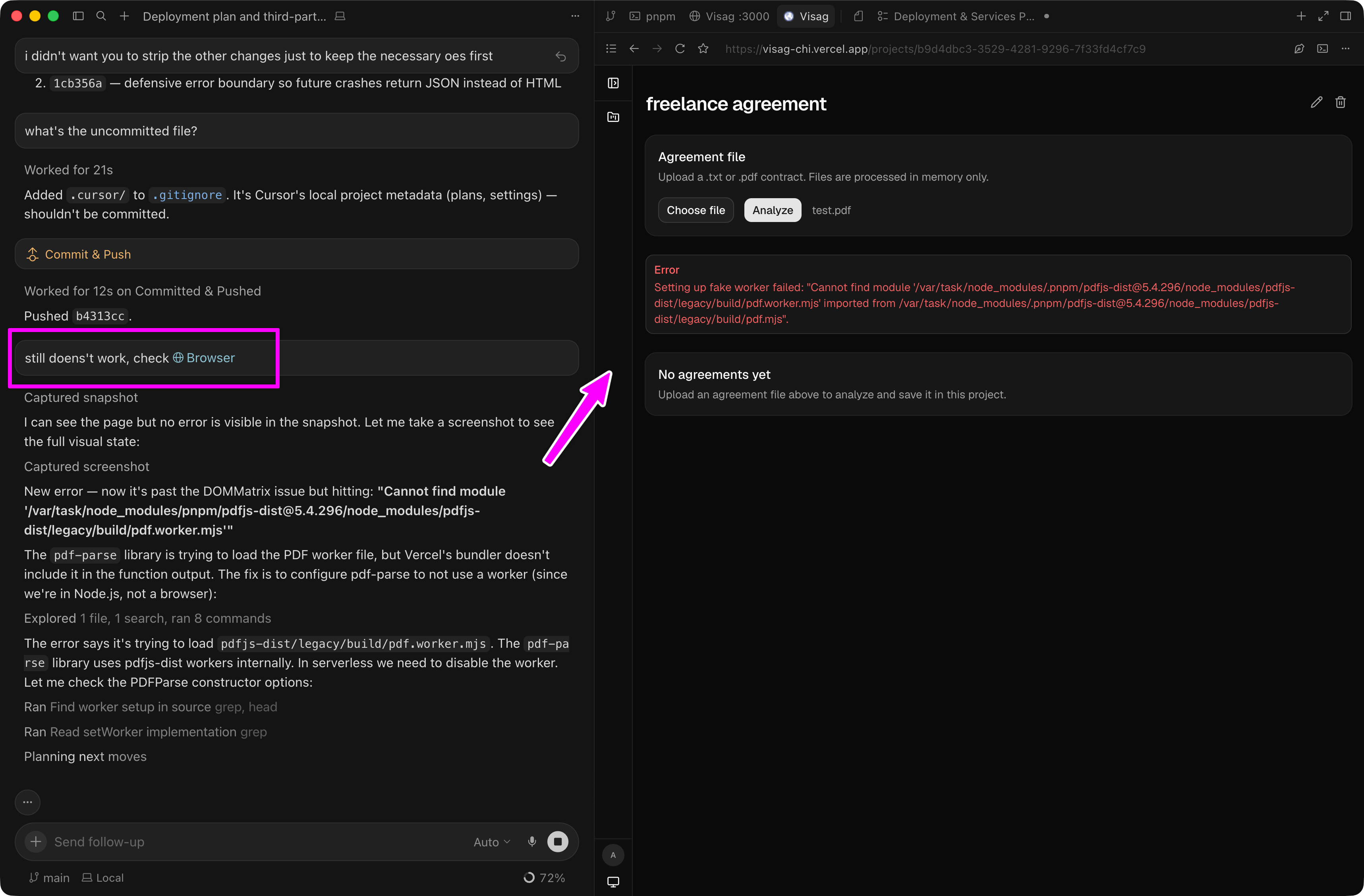
Terminal. Your dev server runs inside Cursor’s terminal. Hit a 500 error? Tell the agent to check the server output for a stack trace. No piping, no temp files — it reads the terminal directly.
Zero config. You start building and everything is already connected.
The trade-off is coupling. Cursor is closed source — so is their infrastructure for running agents and automations. I wrote more about this dynamic here. Consider this before building anything on top of it.
Building and Testing in the Same Window
This is my favorite part.
Because the browser lives inside Cursor, the agent can interact with it directly. That changes two workflows:
Editing. Cursor has a Design Mode where you point at specific elements and request changes — “add padding here,” “make this font bigger.” The agent knows exactly which part of the screen you mean.
Testing. You can ask Cursor to test your app in the browser. You’ll watch it click through pages, fill inputs, navigate, upload files — all in real time, inside the same window. No screenshots, no guessing what the agent saw. You see it happen.
What Other Harnesses Require
Take something like OpenCode or Claude Code. You’d need to:
Run your dev server in a separate terminal
Pipe that terminal’s output to a file
Tell the agent to read that file for logs
That’s not hard — tee and pipes have existed forever — but you have to know the trick and set it up yourself.
The browser story is similar. Claude Code has a Chrome integration, but it’s fragile — native host crashes (#16691), extension disconnects (#62141, #21509), and browser incompatibilities (#17337) are frequent enough that there’s a pattern. Mine stopped working too, and I wasn’t alone. Tools like Vercel’s Agent Browser work, but they’re opaque — you can’t see what the agent sees unless you ask it to take a screenshot at a specific moment.
Cursor flips that. You and the agent share the same browser. What you see is what it sees.
Action Step
If you haven’t tried Cursor in a while, give it one afternoon. Open a side project, launch the built-in browser and terminal, and build something end-to-end without leaving the window. The integrated experience is the feature — not any single model or shortcut. Here’s a referral link for 50% off your first month if you want to try Pro.
However, if you are concerned about Cursor and everything behind being close source, give a shot to my favorite tool, OpenCode. I’m happily using OC for my side projects, and with this link, both you and I get $5 credits. Also, the first month of their Go subscription is $5.
Nothing else gives you access to agentic coding at this price right now.
See you next week. 👋